Version 5.7.4

Box
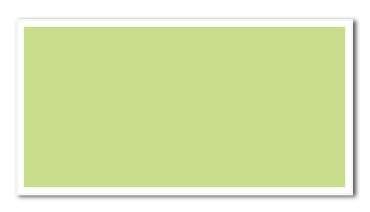
Create a rectangular colored area. The area must fit the grid cells.
Child elements
(none)
Parent elements
Case, Clip, ForAll, Frame, Loop, Otherwise, Overlay, PlaceObject, Position, Td, Transformation, Until, While
Attributes
background-color(text, optional, CSS property: background-color)- Color of the box. If the color name is a dash (
-), a transparent background is used. bleed(optional)- Lets the box increase its size by the amount of trim given in the options. Useful for thumb indexes. The contents of the attribute is either “left”, “right”, “top” or “bottom” or any combination such as “top,right”.
auto: Increase the size depending on the position.top: Increase the size to the top.left: Increase the size to the left.bottom: Increase the size to the bottom.right: Increase the size to the right.top,left: Increase the size to the top and left.top,right: Increase the size to the top and right.bottom,left: Increase the size to the bottom and left.bottom,right: Increase the size to the bottom and right.
border-color(text, optional, since version 5.5.8)- Color of the border. Must be used together with
border-width. The border is drawn inside the box dimensions, shrinking the fill area accordingly. border-width(length, optional, since version 5.5.8)- Width of the border. Must be used together with
border-color. class(text, optional)- CSS class for this box.
graphic(text, optional, since version 4.3.10)- The name of the metapost graphic to use instead of the box.
height(number or length)- Height of the box in grid cells.
id(text, optional)- CSS id for this box.
padding-bottom(length, optional, CSS property: padding-bottom, since version 2.5.10)- Set the inner distance (width between contents and the border) to the bottom edge.
padding-left(length, optional, CSS property: padding-left, since version 2.5.10)- Set the inner distance (width between contents and the border) to the left edge.
padding-right(length, optional, CSS property: padding-right, since version 2.5.10)- Set the inner distance (width between contents and the border) to the right edge.
padding-top(length, optional, CSS property: padding-top, since version 2.5.10)- Set the inner distance (width between contents and the border) to the top edge.
vertical-align(optional, since version 5.5.8)- Vertical alignment of the box when used inline in a paragraph. Only effective when the box appears inside a paragraph together with text or other inline elements.
bottom: Align the bottom of the box with the bottom of the line box (below the text baseline, at the descender line).
width(number or length)- Width of the box in grid cells or in absolute values.
Example
<DefineColor name="mygreen" model="cmyk" c="22" m="0" y="55" k="0"/>
<PlaceObject>
  <Box width="10" height="5" background-color="mygreen"/>
</PlaceObject>
looks like