Getting Started
So you want to turn XML data into beautiful PDFs? You’re in the right place. This chapter gets you up and running in a few minutes: install XTS, create a tiny project, and see your first PDF appear.
What is XTS?
XTS is a non-interactive tool that takes two inputs – a data file (XML) and a layout file (also XML) – and produces a PDF. There’s no graphical interface. You describe what goes where in the layout, point XTS at your data, and it does the rest.
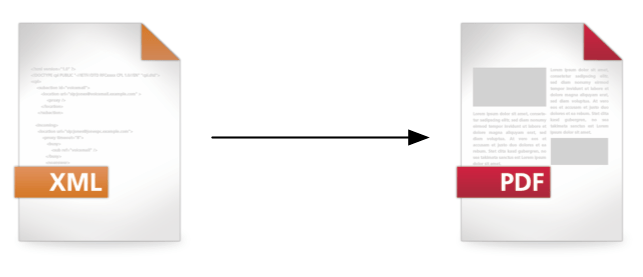
This strict separation of data and layout is the key idea. Your data can come from a database, a PIM system, an API – anything that can produce XML. The layout file is where you define page sizes, grids, fonts, tables, and all the visual design. XTS combines the two and generates the PDF fully automatically.
Typical use cases:
- Product catalogs
- Price lists and data sheets
- Travel guides
- Invoices and reports
- Any document where content changes but the design stays the same
Installing XTS
Pre-built packages (recommended)
- Go to the download page and grab the package for your operating system.
- Unzip it anywhere you like – no admin rights needed.
- Add the
bin/directory to yourPATH.
That’s it. You should now be able to run xts in your terminal.
Building from source
If you prefer to build from source:
git clone https://github.com/speedata/xts.git
cd xts
rake build
The xts binary ends up in bin/. You’ll need Go 1.21+ and Ruby/rake (or check the Rakefile for the raw go build command).
Hello, World!
Let’s create your first PDF. The fastest way:
xts new helloworld
cd helloworld
xts
This creates a directory with two files and runs XTS on them. Open xts.pdf and you should see “Hello, user!”. But let’s look at what’s inside.
data.xml – the data:
<data name="user"></data>Just a root element with a name attribute. In a real project, this would be your product data, article list, or whatever you’re typesetting.
layout.xml – the layout:
<Layout xmlns="urn:speedata.de/2021/xts/en"
    xmlns:sd="urn:speedata.de/2021/xtsfunctions/en">

    <Record match="data">
        <PlaceObject>
            <TextBlock>
                <Paragraph>
                    <Value select="concat('Hello, ', @name, '!')" />
                </Paragraph>
            </TextBlock>
        </PlaceObject>
    </Record>
</Layout>
Here’s what’s happening:
<Layout>is the root element. The twoxmlnsdeclarations set up the XTS namespace and the XPath function namespace (sd:).<Record match="data">says: “When you encounter a<data>element in the data file, execute these commands.”<PlaceObject>places something on the page.<TextBlock>is a rectangular text area (no page breaks).<Paragraph>holds one paragraph of text.<Value select="...">evaluates an XPath expression – here it concatenates “Hello, " with thenameattribute and “!”.
Run xts in the directory, and you get your PDF:

Congratulations – that’s your first XTS document!
Examples
There’s a separate repository with more complete examples on GitHub. Browse through them to see what’s possible: data-driven tables, multi-page layouts, custom fonts, and more.
What’s next?
Now that you have XTS running, head to Core Concepts to understand how the grid, positioning, and data processing work together.