Boxes and Shapes
Boxes
Rectangular colored areas are created with <Box>:
<PlaceObject>
  <Box width="4" height="3" background-color="limegreen"/>
</PlaceObject>
Boxes are commonly used as colored backgrounds behind other content. Place the box first (with allocate="no"), then place your text or table on top:
<!-- Background -->
<PlaceObject row="1" column="1" allocate="no">
    <Box width="10" height="3" background-color="lightyellow"/>
</PlaceObject>
<!-- Content on top -->
<PlaceObject row="1" column="1">
    <TextBlock>
        <Paragraph><Value>Text on colored background</Value></Paragraph>
    </TextBlock>
</PlaceObject>
Circles
Circles are created with <Circle>:
<PlaceObject column="5" row="5">
  <Circle radius-x="3" background-color="goldenrod"/>
</PlaceObject>
<PlaceObject column="5" row="5">
  <Circle radius-x="1pt" background-color="black"/>
</PlaceObject>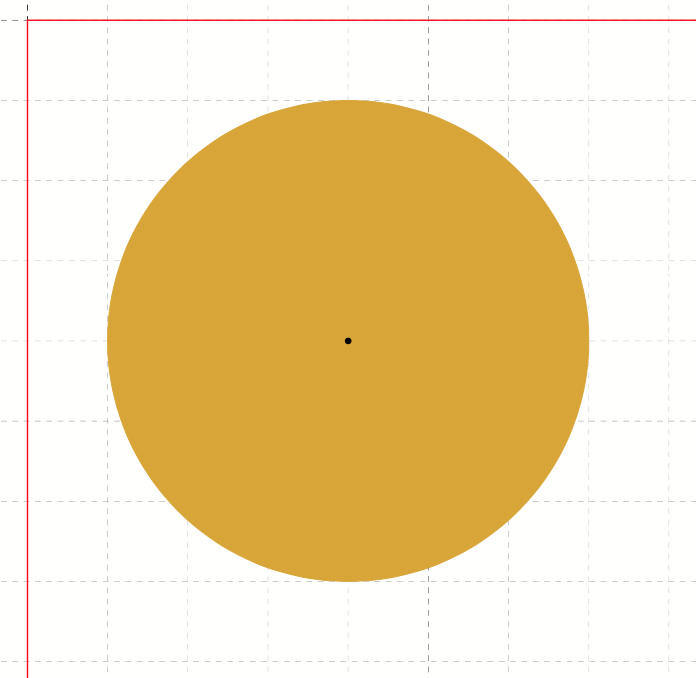
For ellipses, use both radius-x and radius-y. The radius can be in grid cells or absolute units (3cm, 1pt).
Like every object, a circle allocates the grid cells of its bounding box; use allocate="no" on <PlaceObject> if it should not block other content.